Hearby
HomeStatusMaciPhoneCommon feature requests

Getting started

Setup guideHearby AI 101Signing inEarbuds and audio

Using Hearby AI

Practice sessionsLive prompts on callsIn person on iPhonePlaybooksYour own voice

Managing your account

Profile and preferencesDeleting your account

Subscriptions

Plans and billingUnderstanding live minutesCancelling your subscription

Security, Privacy & Transparency

Security, privacy and data FAQsLet people know you use Hearby AIWhat Hearby AI refuses

Troubleshooting

I hear nothing in my earThe app will not sign inIt does not hear the other person
Help CenterPolicies & Documents

Managing your account

Profile and preferences

Your name, email and how prompts behave.

Profile

hearby.ai/account shows your email, name and plan.

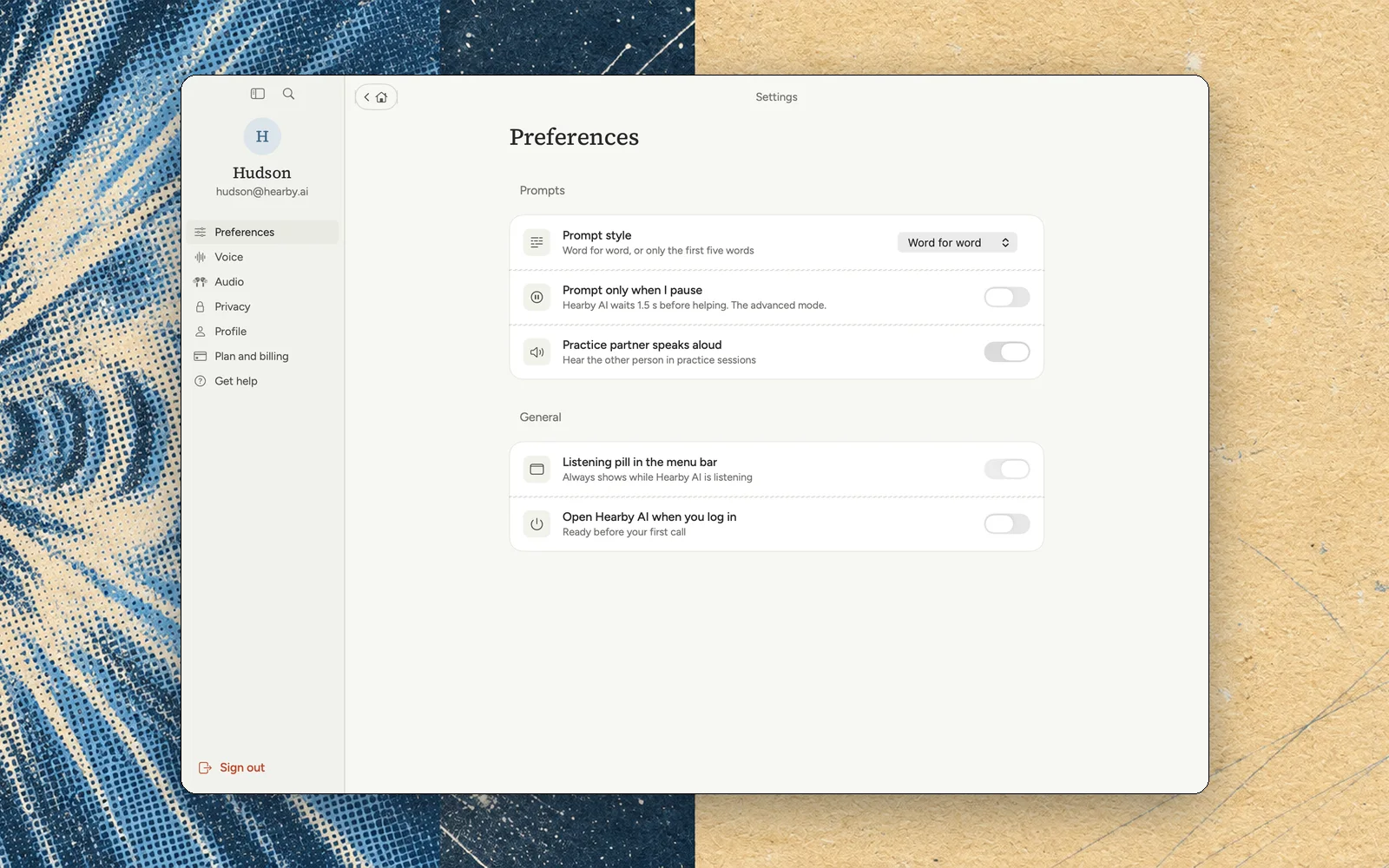
Preferences

  • Prompt style: word for word, or the first five words.
  • Pause-only mode.
  • Whether the practice partner speaks aloud.
  • Speed.
Hearby AI settings

Can't find what you're looking for? Email hudson@hearby.ai.

PreviousDeleting your accountRemove your account for good.Next

On this page

ProfilePreferences
Hearby

Product

PricingTeamsUpdatesSecurity

Company

AboutCareersBlog

Legal

PrivacyTermsTransparency

Support

Contact usHelp center
© Hearby AI 2026